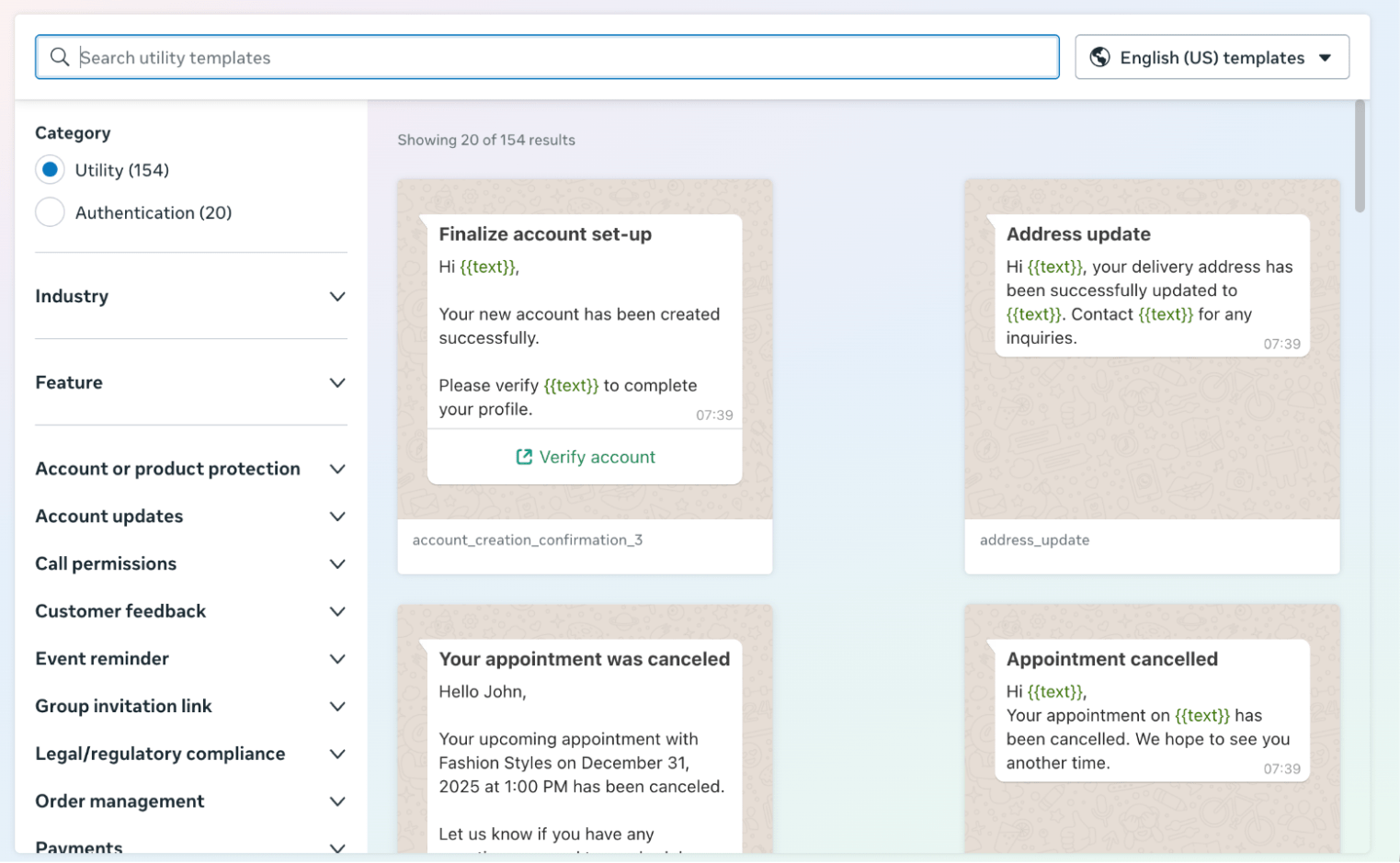
Manage Template - Meta
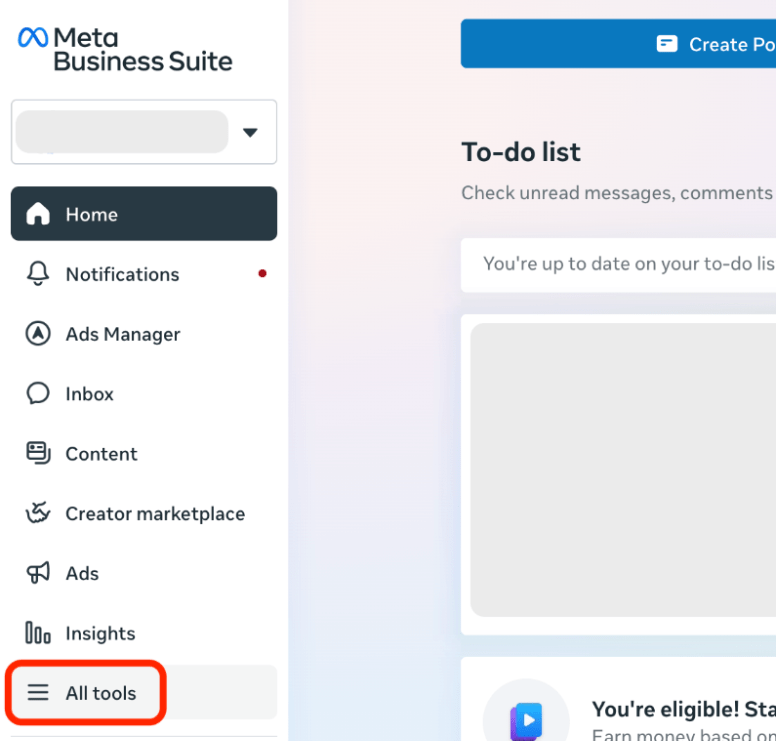
Login to your Meta business account at business.facebook.com and click on "All tools" tab.
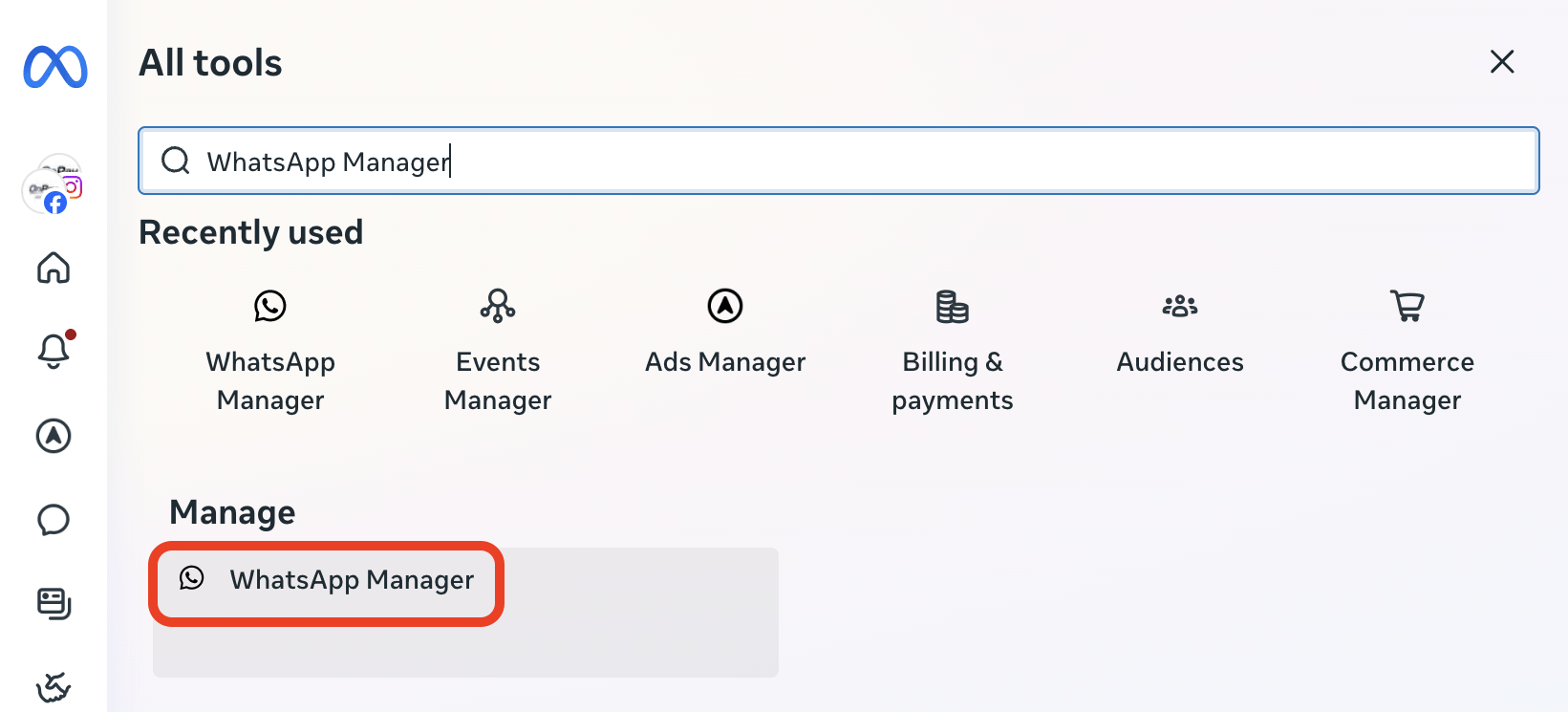
Search for "WhatsApp Manager" and click.
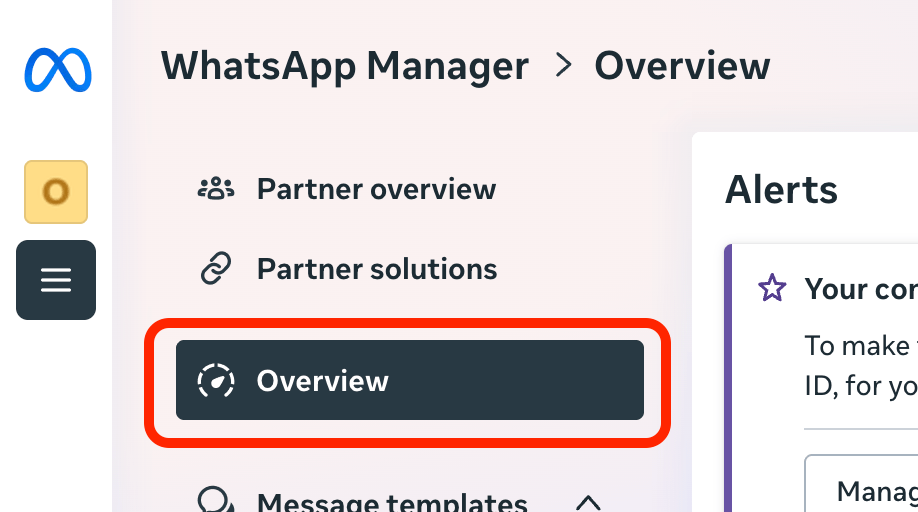
Navigate to "Overview" tab.
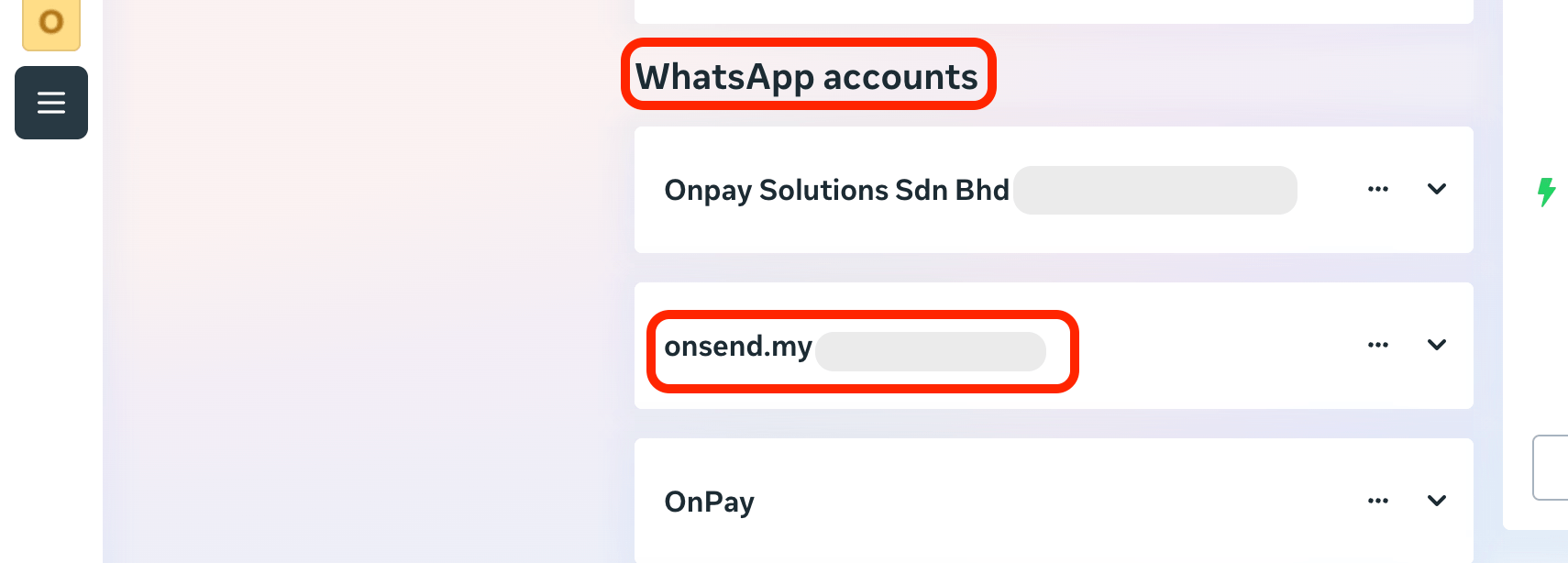
Scroll down to find WhatsApp accounts section. Select & click the phone number.
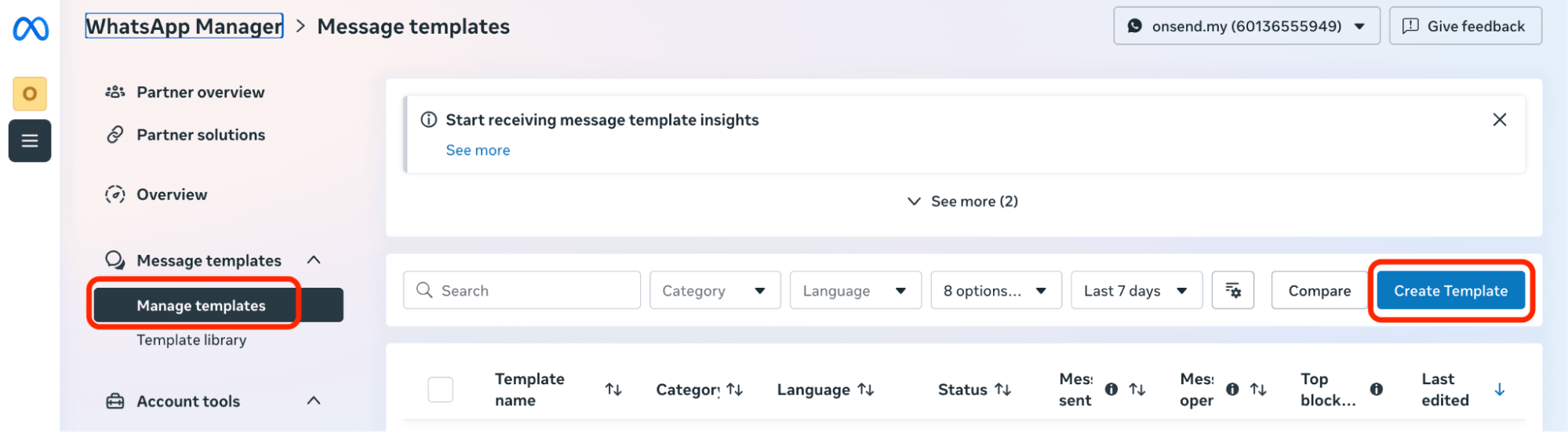
Navigate to "Manage Templates" tab and click on "Create Template".
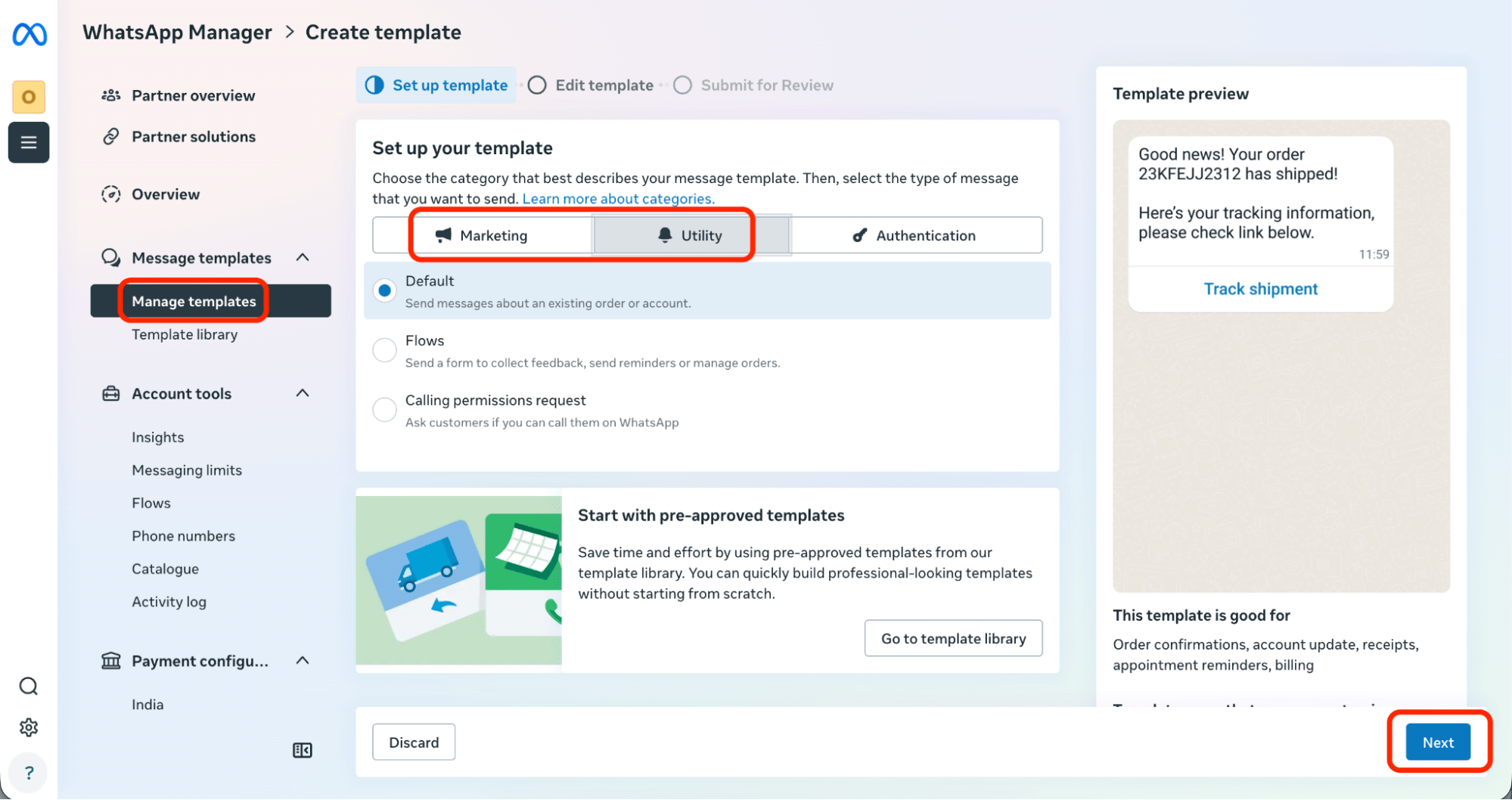
Set up your template by choosing category based on your choice.
Click on "Next" button.
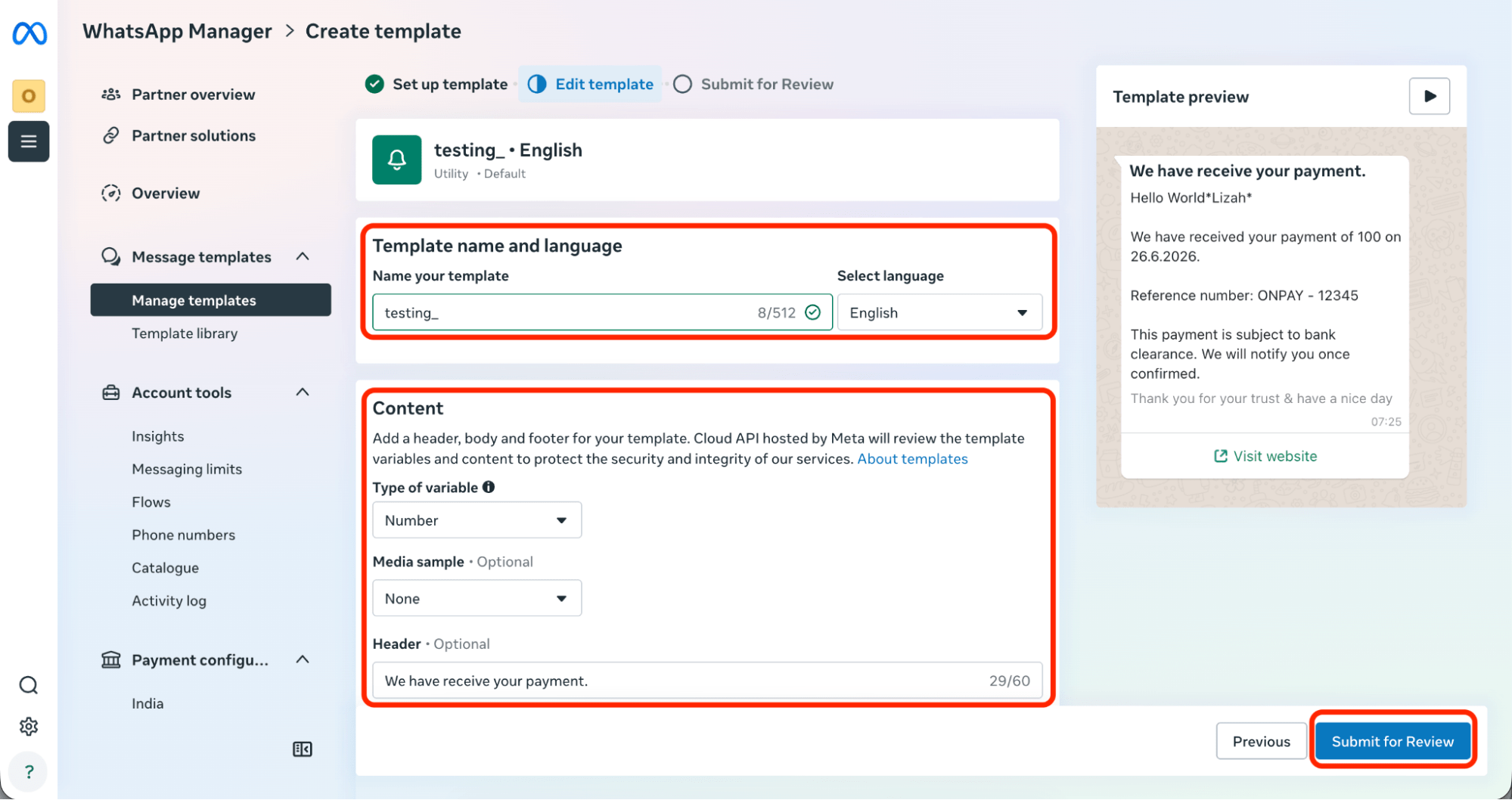
Complete the template details and click "Submit for Review".
After submit, your template status may appear for checking.
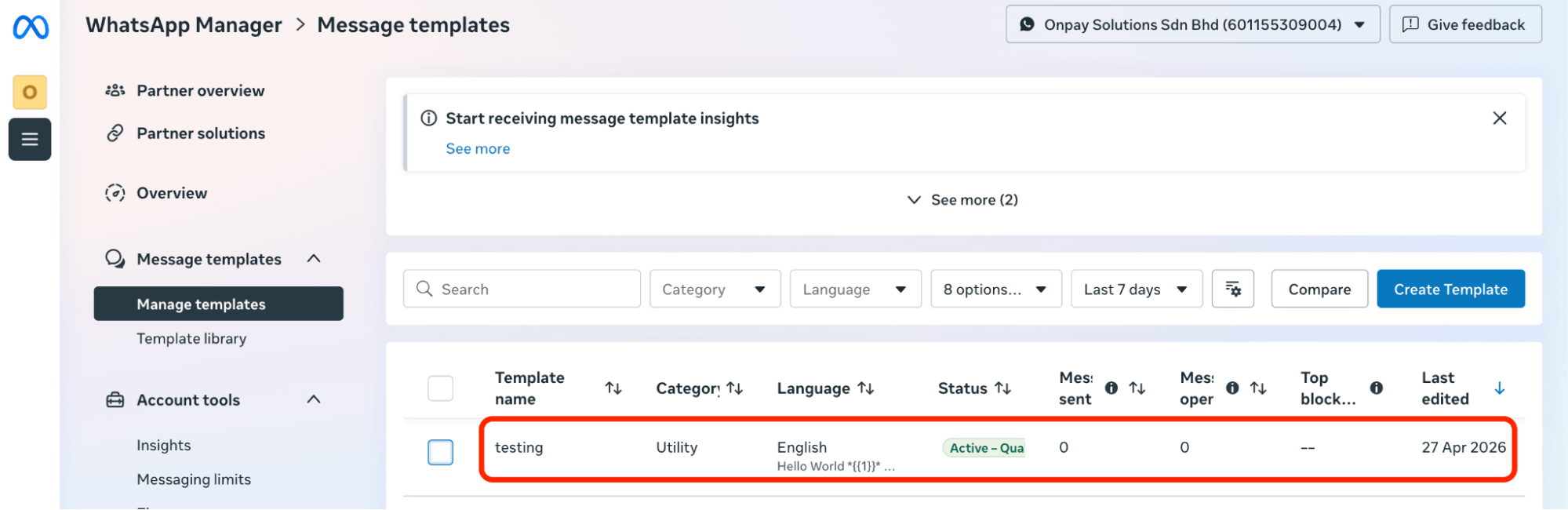
To choose more templates, you can also navigate to "Template Library" under "Message Templates" for more choices.